SonicDE Packages for Arch Linux Systems
This third-party repository provides SonicDE x86_64 binary packages for Arch Linux-based distributions. SonicDE, or the Sonic Desktop Environment, aims to preserve and improve the X11-specific aspects of KDE. You can learn more about SonicDE at sonicde.org.
The packages of this repository are known to work with Arch Linux, CachyOS, EndeavourOS, Garuda Linux, and RebornOS. We’ll also verify the functionality on ArchCraft and the testing branch of Manjaro Linux.
Installing SonicDE Manually
Adding the Public Package Signing Key to pacman
First, please download the public OpenPGP signing key sonicde-archlinux.asc used to sign the packages and add it to the pacman keyring:
curl -O https://sonicde-arch.github.io/sonicde-archlinux.asc
sudo pacman-key --add sonicde-archlinux.asc
sudo pacman-key --finger 3B87898C73F11DF5
sudo pacman-key --lsign-key 3B87898C73F11DF5
You can read more package signing on the pacman/Package signing - ArchWiki page.
Adding the Repository to Pacman
Once you added the public key, also add an entry for the SonicDE repository to the end of the file /etc/pacman.conf using sudo and your favorite editor:
[sonicde]
Server = https://sonicde-arch.github.io/$arch
Run pacman to update all package indexes and installed packages:
sudo pacman -Syyu
Installing SonicDE
If you’re using KDE Wayland—which is the default in CachyOS, for example—you’ll need to disable the Plasma Login Manager before continuing. Otherwise you may not be able to login to your graphical session anymore. To do so, use the following command:
sudo systemctl disable plasmalogin
Installing SonicDE itself is as easy as installing the sonicde-meta package:
sudo pacman -S sonicde-meta
The included packages will replace any of their installed KDE counterparts. When asked, just answer with y. In case you get kicked out of your graphical session while installing SonicDE on a KDE Wayland system, switch to a text console via, e.g., Ctrl+Alt+F3, login in as your regular user and enter the following commands:
sudo pacman -S sonicde-meta
sudo systemctl stop plasmalogin
sudo systemctl enable soniclogin
sudo systemctl start soniclogin
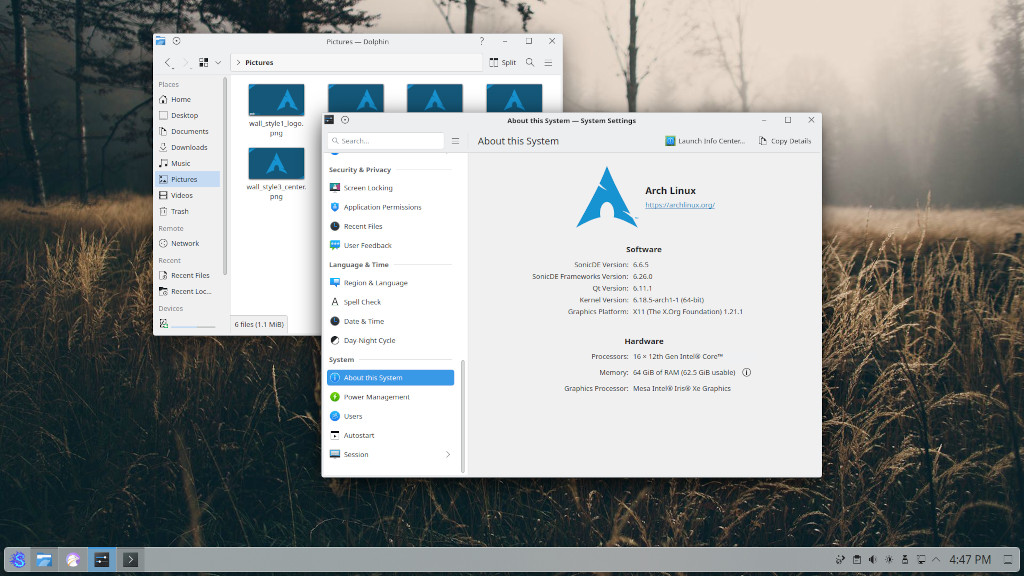
It’ll enable the Sonic Login Manager and bring you back to a graphical greeter. When logged in again, start the program System Settings and verify that you’re running SonicDE on the “About this System” page. You do? Congratulations!
P.S. If you prefer SDDM or any other X11 login manager, you may keep using it. This guide just wants to make sure that every user gets back to some sort of graphical greeter.
Getting in Contact
Please report any enhancement requests or issues with this repository at Issues · sonicde-arch/sonicde-arch. If you have a specific issue, please see the list of package repositories and report it there. In case you need help, want to report success or talk about other aspects, please also check the official SonicDE channels.
 Bluesky
  Discord
  Mastodon
  Matrix
  OFTC IRC
  Telegram
  X (Twitter)